The Tapes in the Attic Won't Wait: Rescuing Your Family's Video History Before It's Gone for Good
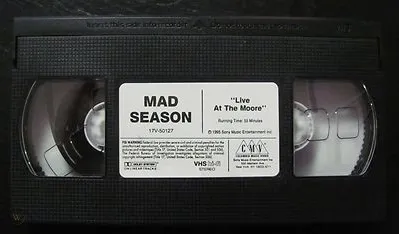
Photo: SMV Enterprises, Public domain, via Wikimedia Commons
Somewhere in your parents' attic — or maybe your own basement — there's a shoebox of tapes. The wedding. The christening. Grandma blowing out candles in 1989. And here's the uncomfortable truth: those tapes are dying, and they don't have much time left.
The Clock Nobody Told You About
Magnetic tape doesn't age gracefully. VHS cassettes, Hi8, MiniDV — they all rely on magnetic particles bonded to a plastic ribbon, and that bond weakens every year. Archivists call the result "sticky shed syndrome," and it's exactly what it sounds like: the tape literally sheds and sticks as it plays, smearing your memories into static.
Heat, humidity, and time make it worse. A tape stored in a garage in Texas or a humid Florida closet might already be unwatchable. Most experts put the practical lifespan of VHS at 20 to 30 years — which means the family tapes recorded in the '80s and '90s are right at the edge right now.
And it's not just the tapes. Remember those early DVD camcorders from the mid-2000s? Disc rot is real. MiniDV decks are discontinued. The camcorder that plays your Hi8 cassettes probably hasn't been plugged in since the Obama administration.
This Isn't a Tech Problem. It's a Family Problem.
Here's what gets lost in most conversations about digitization: the stakes aren't technical, they're emotional.
Ask anyone who's lost a parent, and they'll tell you what they miss most. The sound of their voice. The way they laughed. For a lot of families, the only recordings of those things are sitting on formats that will be unplayable within a decade.
There's a reason professional archivists talk about a "digitization window." Once the tapes degrade past a certain point, no amount of equipment or money brings the footage back. The image doesn't fade gradually — it fails, sometimes all at once.
Start With What You Have
The good news: rescuing family video is more doable than most people think. You don't need a film school degree. You need a plan.
Step one: take inventory. Gather every tape, disc, and memory card you can find. Label them by date and subject if you can — even "Mom's side, Christmas 1993" is gold. You'd be amazed how many families digitize everything only to realize nobody knows who's in half the footage.
Step two: triage by age and importance. The oldest, most fragile tapes go first. The 1985 wedding tape outranks the 2003 birthday party. If you can't do everything at once, save the irreplaceable stuff before the merely nice-to-have.
Step three: digitize — one way or another. You've got three realistic options:
- DIY with a capture device. For VHS, an affordable USB capture dongle plus a working VCR gets the job done. Quality won't be perfect, but for tapes that are actively decaying, a decent copy today beats a perfect copy never.
- A playback deck for cassettes. MiniDV and Digital8 tapes can often be transferred over FireWire or a capture card from the original camcorder. If the family still has the camera, charge it up and test it before it becomes a paperweight.
- A transfer service. Every major US retailer, from Costco to your local camera shop, works with digitization services. Expect to pay somewhere in the range of $15–$30 per tape. For a box of 20 tapes, that's a few hundred dollars to save forty years of family history. Most people spend more on a phone case.
Don't Let the Digital Copy Become the Next Casualty
Here's the mistake that breaks our hearts: families digitize everything onto a single external hard drive, breathe a sigh of relief, and then that drive fails five years later. Digitizing isn't the finish line — it's halftime.
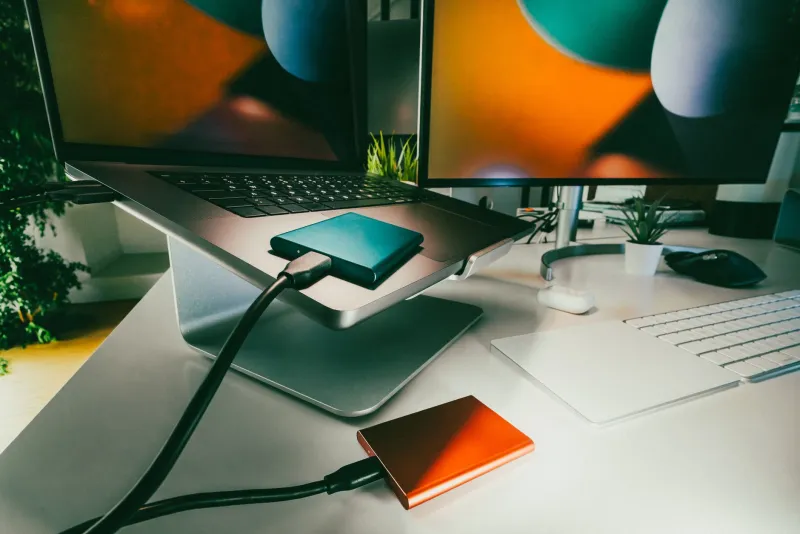
Follow the same rule the professionals use: keep multiple copies in multiple places. One copy on your computer, one on an external drive, and one in the cloud or at a relative's house in another state. If a house fire, flood, or dead drive takes out one copy, the family history survives.
And use file formats built to last. Uncompressed or lightly compressed MP4 files with H.264 video will play on virtually anything for the foreseeable future. Skip proprietary formats from whatever software came bundled with your capture device — those programs vanish, and the files can become orphans.
Give the Files a Story, Not Just a Name
A file called VID_0043.mp4 tells your grandkids nothing. Rename your digitized footage with real titles — "Nana & Papa Wedding, June 1987" — and keep a simple text document listing what's on each file. Future generations won't just inherit the video; they'll inherit the context that makes it meaningful.
Better yet, gather the family while you digitize. Half the magic of this process is watching the tapes together. You'll hear stories you've never heard, put names to faces, and end up with a richer archive than any file naming scheme could capture.
The Window Is Closing
Nobody's going to send you a reminder when the last playable VCR breaks or when the wedding tape finally snaps in a deck. The time to act is while the tapes can still be played — because that's the only thing that makes digitization possible.
Your grandkids won't be able to watch what you don't save. But the flip side is the beautiful part: save it now, and they'll grow up knowing what Great-Grandpa's laugh sounded like. That's worth a weekend in the basement with a shoebox of tapes.
Start with the oldest tape. Start this weekend.