The Exit Door Costs Money: A Creator's Guide to Moving Terabytes Out of the Cloud Without Paying Twice
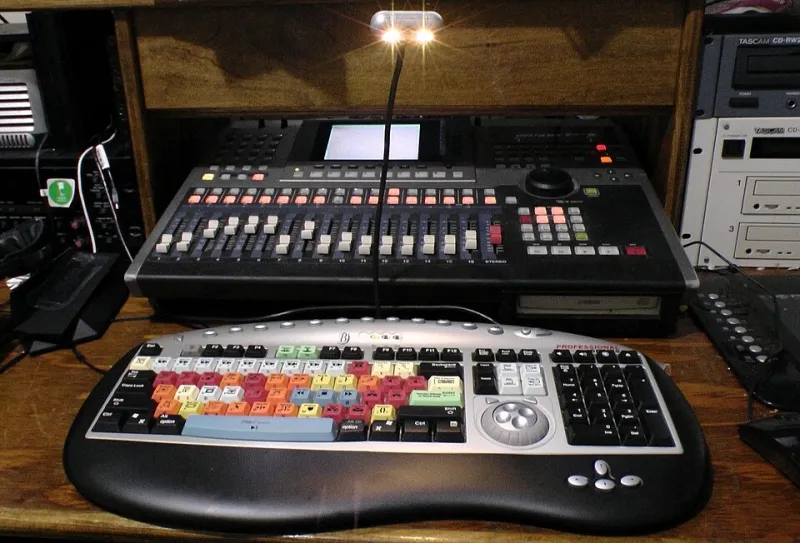
Photo: Ben2742, CC0, via Wikimedia Commons
Cloud storage is a great delivery truck. It is a terrible vault if you never plan an exit. For a while, the monthly bill looks like a bargain: a few dollars per terabyte, no drives to babysit, and access from anywhere. Then a creator decides to move platforms, consolidate vendors, or bring a master copy home, and the invoice arrives with a line item called egress.
That is the trap. Storage is priced to get you in. Bandwidth is priced to keep you from leaving. The good news is that this is not a crisis. It is a routine archival skill, like knowing how to pack a moving truck without paying the movers to hold your boxes hostage.
As of late 2026, typical cloud egress in the US runs somewhere around $0.05 to $0.12 per gigabyte, depending on provider, region, and tier. Do the math on a 6 TB video archive and you are looking at roughly $300 to $720 just to pull the files down. Add retrieval fees for cold storage and API request charges, and the exit can cost more than a year of storage did.
Inventory First, Move Second
Before you touch a migration tool, find out what you actually have. Use the provider's console or a command-line tool like rclone to list total bytes, object count, storage classes, and the date range of the files. Separate the hot projects from the cold archive. A folder of 2019 raw footage in an archive tier may be cheap to store and expensive to retrieve.
Write down three numbers: total gigabytes, total objects, and the percentage sitting in cold storage. Those three numbers drive most of the bill. A million tiny thumbnails can cost more in API requests than a few large master files, even if the total size is smaller.
The Three Costs Nobody Budgets For
Most creators budget for storage and forget the rest. Egress is the headline, but retrieval and requests can bite just as hard.
- Egress: the bandwidth charge for downloading files out of the cloud.
- Retrieval: the fee to wake up files from archive or infrequent-access tiers. Some providers also enforce a minimum storage duration, so deleting early can trigger a penalty.
- Requests: the per-operation charge for listing, copying, and checking millions of objects.
Then there is the cost of time. Throttled transfers, failed jobs, and rate limits can stretch a weekend project into a week. Build a buffer into both the budget and the calendar.
Pick a Target That Does Not Punish Exit
Not every destination is equal. Some object-storage providers charge for egress, some include a monthly allowance, and some market free egress but limit it in the fine print. Read the current terms, not a blog post from two years ago. Look for S3-compatible APIs, clear pricing, and a documented way to get your data out again.
A local NAS or a pair of large external drives is not a replacement for cloud redundancy, but it is an excellent escape hatch. If you keep a local master copy, you are never fully dependent on one vendor's bandwidth policy. That local copy also makes verification cheaper and faster.
Stage Locally: The Cheapest Middleman
For a multi-terabyte move, the smartest path is often cloud to local, then local to the new cloud. Yes, you pay egress once to pull the files down. But you gain a verified local copy, a checkpoint if the new provider has problems, and the ability to run checksums without racking up more cloud requests.
Make sure you have enough free space before you start. A 6 TB archive needs more than a 6 TB drive once you account for temporary files, metadata, and the fact that drives never show their advertised capacity in the way you hope. Use a drive or NAS with room to spare, and do not format it until the migration is verified twice.
Use Tools That Can Prove the Copy
A GUI drag-and-drop is fine for a handful of files. For terabytes, use a tool that can resume, retry, and verify. rclone is the common choice for object storage. Run a dry run first, then a real copy with checksums enabled. Limit transfers if the provider starts throttling you. A slower copy that finishes is better than a fast copy that fails at 80 percent.
Keep a manifest. Before you move anything, generate a list of file paths, sizes, and hashes. After the copy, compare the source and destination. Do not trust the progress bar. Trust the checksum.
Calculate the Bill Before You Click
Here is a rough planning formula for a US creator moving 6 TB, or 6,000 GB:
- Egress at $0.09 per GB: about $540.
- Retrieval from cold storage at $0.01 per GB: about $60, plus possible minimum-duration penalties.
- API requests for listing and copying: usually tens of dollars, but can spike with small files.
- Temporary local storage: the cost of a drive you may already own, or a few hundred dollars if you do not.
Add a 20 percent buffer for surprises. If the number still feels large, ask the provider whether they offer a migration credit or a support-assisted bulk export. Some do, especially for business accounts. It never hurts to ask before you start the meter.
Verify, Wait, Then Cut Over
Verification is not one check. It is a sequence. Confirm file count and total bytes. Run a checksum comparison. Spot-check playback on a few random videos, including one long file and one file with captions. Then wait a week before deleting the source. That waiting period catches the silent failures: the file that copied but will not play, the sidecar subtitle that never made it, the folder that lost its metadata.
Keep the old cloud account active for 30 to 60 days after the cutover. Update your links, your backup jobs, and your billing alerts. If something breaks, you want the exit door to still be open.
Build Portability Into the Archive, Not Just the Migration
A migration is a moment. Portability is a habit. Use standard file formats and a folder structure that does not depend on one app. Keep a local master copy of anything you cannot afford to re-download. Store credentials and billing contacts somewhere your future self can find them. Set a calendar reminder to review storage costs once a year.
The egress trap is real, but it is not a reason to stay put forever. It is a reason to plan the move like an archivist instead of reacting like a panicked renter. At SaveVid, we would rather see creators treat cloud migration as a boring maintenance task than a five-alarm fire. The best time to learn your exit costs is before you need the exit.