Three Copies, Two Places, One Night: The Backup Math Every Video Collector Should Know
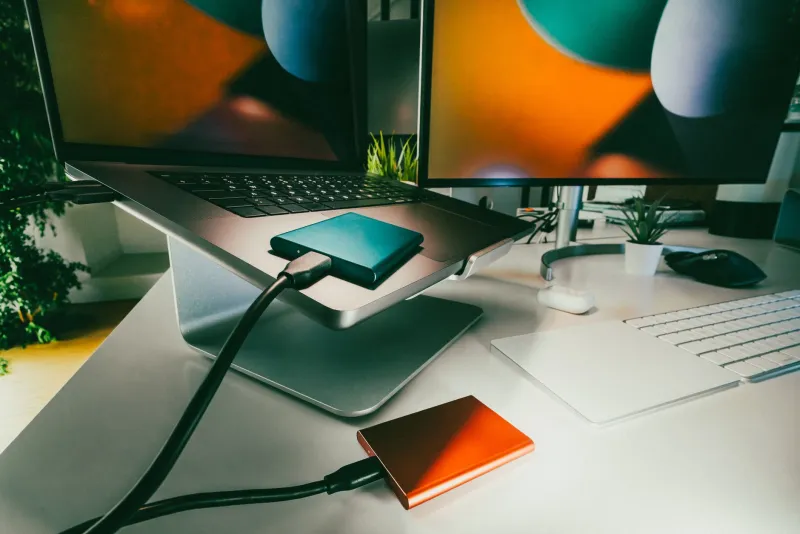
Here's a scenario that plays out somewhere in America every single day: a video collector, maybe a YouTuber with 400 uploads, maybe a hobbyist with a decade of family footage ripped from old DVDs, hears a faint clicking from their external drive. Then nothing. The drive is gone, and everything on it goes with it.
The frustrating part? Preventing this doesn't require an IT degree or a corporate budget. It requires one simple piece of arithmetic that archivists have been using for years. It's called the 3-2-1 rule, and once you understand it, you'll wonder how you ever stored your videos any other way.
The Rule, Without the Jargon
The 3-2-1 rule breaks down like this:
- 3 copies of every video file — the original plus two backups
- 2 different types of storage — say, an internal drive and an external one, or a drive plus cloud storage
- 1 copy kept off-site — somewhere that isn't your house
Why so paranoid? Because disasters stack. A fire or burst pipe can take out every drive in your home. A ransomware attack can encrypt your computer and the external drive plugged into it. Hard drives fail at a rate of roughly 2–5% per year, and they don't send a courtesy text beforehand.
With three copies on two kinds of media, with one living elsewhere, there's no single event — mechanical, electrical, or meteorological — that wipes you out completely.
Building It: Three Budget Tiers
You don't need to spend a fortune. Pick the tier that matches your wallet.
The Starter (~$100–150)
- Two external hard drives (WD Elements or Seagate Portable, 4–5TB, around $90–110 each). Keep one plugged in for regular backups and one in a drawer at a friend's or relative's house. Swap them monthly.
- Free cloud tier for the truly important stuff. Google gives you 15GB, and that's enough for your irreplaceable masterpieces even if it can't hold your whole library.
That's it. Two physical copies in two locations, plus a cloud slice for the crown jewels. Technically a "3-2-1-ish" setup, but it beats the single-drive roulette most people play.
The Middle Path (~$300–500)
- One large external drive (8–14TB, like a WD Elements Desktop or Seagate Expansion) as your working backup.
- A cloud backup service — Backblaze is the archivist community favorite at about $99/year for unlimited data. It runs in the background and quietly uploads everything, external drives included.
- A small NAS like a 2-bay Synology or TerraMaster with a pair of mirrored drives if you want local redundancy plus network access.
This is the setup I'd recommend for most creators. Your off-site copy happens automatically while you sleep, which removes the biggest failure point of any backup plan: human laziness.
The Archivist (~$800+)
- A 4-bay NAS (Synology DS923+ or similar) running RAID, so a single drive dying doesn't even slow you down.
- Backblaze B2 or Wasabi cold storage for a full off-site mirror — pennies per gigabyte per month.
- At least one cold copy on a disconnected drive or optical media (M-DISC blanks are rated for decades) stored at a second location.
At this tier you're not just backing up — you're building an archive designed to outlive hardware generations.
The Part Nobody Tells You: Automation Beats Intention
Every failed backup plan I've ever seen died the same way. Not from a flood or a fire, but from a human who meant to copy their files "this weekend" for eight consecutive weekends.
So automate whatever you can:
- Windows: File History or a free tool like FreeFileSync scheduled weekly
- Mac: Time Machine to a dedicated drive, plus a monthly clone via Carbon Copy Cloner
- Cloud: Backblaze or Arq, set once and forgotten
The best backup system is the one you never have to think about.
The Stress Test: Would You Survive Tonight?
Here's a five-minute exercise to run right now. Grab a pen.
- Pick three videos at random from your collection — one recent, one middle-aged, one old.
- Locate a second copy of each. Not "I think it's on the old laptop." Actually find it and open it.
- Check the date on that copy. If it's more than a month old, your backup is stale — anything added since then exists once.
- Imagine your house is unreachable for 48 hours. Can you get to a copy from anywhere? If not, you have no off-site backup.
- Count your storage types. If everything lives on spinning hard drives, a single defect trend (or a thief with your safe) can take them all.
Score one point for each "yes": second copy found, copy less than a month old, off-site access exists, multiple storage types. Below 3? Your archive is one bad night away from disappearing.
Your Printable Checklist
Tape this somewhere visible:
- Every video file exists in at least 3 places
- Copies live on at least 2 different kinds of storage
- 1 copy is off-site (cloud or another building)
- Backups run automatically, not "when I remember"
- You've actually opened a backup file in the last 3 months
- Drives are labeled with what's on them and when they were last updated
- There's a written note of where the off-site copy lives
That last item matters more than it sounds. The most sophisticated backup in the world fails if the only person who understands it is the one who built it.
The Bottom Line
The 3-2-1 rule isn't really about technology — it's about accepting that hardware fails, houses flood, and accounts get locked. Video you've downloaded and preserved is only truly yours if it exists somewhere no single disaster can reach.
An evening of setup buys you that peace of mind. Your future self, staring at a dead drive someday, will either breathe a sigh of relief or learn this lesson the hard way. Choose the sigh.