Cloud Bills Are Quietly Draining Creators — Here's Why Local Storage Is Back in Style
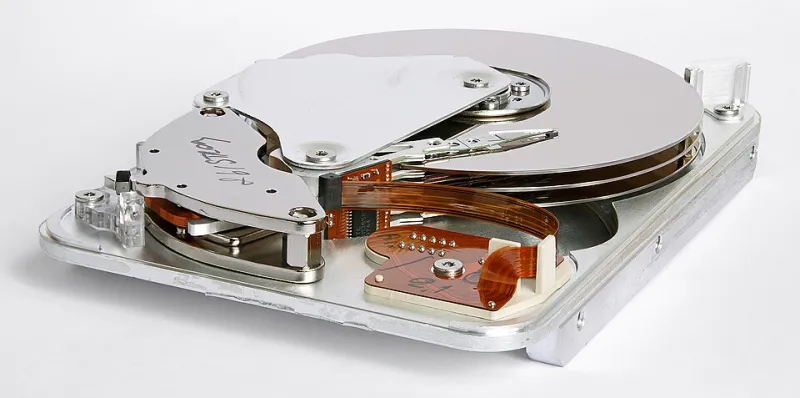
Photo: Eric Gaba (Sting - fr:Sting) This image was created with CombineZP by 11 ( It was created out of 11 single images.)., CC BY-SA 3.0, via Wikimedia Commons
For a while there, cloud storage felt like the obvious answer to every creator's storage headache. No hardware to manage, access from anywhere, automatic backups — what's not to love? Plenty, it turns out, especially once your video library starts to grow and those subscription fees start compounding in ways you never anticipated.
More creators are doing the math and realizing that cloud-only storage isn't the frictionless dream it was marketed as. The costs are sneaky, the vulnerabilities are real, and the control you think you have is a lot more conditional than your storage provider would like you to know.
The Subscription Creep Nobody Talks About
It starts innocently enough. You sign up for a 2TB plan at $10 a month. Fine. Then your library grows — raw footage, finished edits, B-roll, archives of older projects — and suddenly 2TB isn't cutting it. You upgrade to 5TB, then 10TB. Before you know it, you're paying $30, $40, maybe $50 a month just to store files you already created.
Over five years, a $40/month cloud plan costs $2,400. That's not a hypothetical — that's a real number that a lot of creators hit without ever stopping to calculate it. Meanwhile, a pair of high-quality 8TB external hard drives runs you around $300 total at today's prices, and a solid NAS (network-attached storage) setup capable of holding 20TB or more can be assembled for under $600. The math starts looking pretty uncomfortable for the cloud-only crowd.
And that's before you factor in bandwidth. Some cloud providers throttle download speeds for large files, which means retrieving your own footage for an edit can turn into a frustrating waiting game. If you're pulling 50GB of raw video to work on a project, you're at the mercy of your provider's infrastructure — and your own internet connection — in ways that a local drive simply doesn't require.
Account Vulnerability Is a Bigger Risk Than Hardware Failure
Here's a scenario that's become disturbingly common: a creator loses access to their Google account due to a terms-of-service flag, an automated fraud detection error, or even just a forgotten two-factor authentication device. Everything stored in Google Drive — every video file, every project folder — becomes inaccessible, sometimes permanently.
Cloud providers frame account suspension as a rare edge case. In reality, it happens to real people regularly, and the appeals process is notoriously slow and opaque. You can spend weeks trying to reach a human at a major cloud company while your entire video library sits locked behind a login screen you can no longer access.
Local storage has its own risks, obviously. Hard drives fail. But a dead drive is a recoverable problem with the right redundancy setup — and critically, nobody can lock you out of your own hardware because you violated an algorithm's interpretation of acceptable content.
What a Hybrid Setup Actually Looks Like
The smartest approach most working creators are landing on isn't a full retreat from the cloud — it's a hybrid system that uses each option for what it's genuinely good at.
Here's a practical framework:
Tier 1 — Local NAS or external drives: Your primary archive lives here. Raw footage, finished exports, project files. Fast access, no ongoing fees, fully under your control.
Tier 2 — Cold cloud storage (Backblaze B2, Wasabi, or similar): These services charge a fraction of what Google or Dropbox cost — often $6 or less per terabyte per month — and are designed specifically for infrequent access. This is your offsite backup, not your working library.
Tier 3 — Platform-native storage (YouTube, Vimeo, etc.): Published content lives here for distribution, but you never treat this as your archive. If the platform disappears or your account gets flagged, your master files are already safe at Tier 1.
This three-tier approach dramatically reduces your monthly spend while actually improving redundancy. You're not putting all your eggs in one cloud basket, and you're not relying on a single hard drive either.
The Total Cost of Ownership Comparison
Let's run the numbers plainly. Say you have 10TB of video content and you're planning for a five-year horizon.
Cloud-only (Google One 10TB plan): $99.99/month × 60 months = $5,999
Hybrid local + cold cloud (10TB NAS + Backblaze B2): ~$500 hardware upfront + ~$6/month × 60 months = $860
That's a difference of over $5,000 across five years — enough to buy a solid camera body, fund a year of software subscriptions, or just stay in your pocket where it belongs.
Obviously, hardware requires some upfront investment and a little more technical comfort. But for anyone managing a serious video library, the case for at least a hybrid approach is hard to argue with.
The Control Factor
Beyond the dollars and cents, there's something less quantifiable but genuinely important: the feeling of actually owning your work. When your video archive lives on hardware in your home or office, you're not subject to price hikes, policy changes, or the whims of a tech company's quarterly earnings call. You're not waiting for a customer service ticket to get resolved before you can access your own footage.
That kind of ownership isn't just practical — it's part of a broader shift in how serious creators think about their digital lives. Platforms come and go. Business models change. Subscription prices creep upward. But a hard drive sitting on your shelf doesn't care about any of that.
Cloud storage isn't going away, and it still has a real role to play in a well-designed system. But treating it as your only safety net? That's a gamble that's getting harder to justify — financially or otherwise.